HubSpot will let a two-person sales team run a real CRM for $0. That is not a marketing trick. The free tier is a working product with contacts, deals, tasks, forms, meeting links, and email tracking. It is also the beginning of a pricing conversation that gets much more expensive the moment you need a third seat, a second hub, or a report that a sales manager actually wants.
The question is not whether HubSpot is good. It is good, and in some categories it is the best product on the market. The question is whether the version you will need in eighteen months still fits the budget you have now. That depends on which hubs you adopt and how quickly your contact database grows.
What the free CRM actually includes
HubSpot’s free CRM is not a trial. It does not expire, and it includes a usable contact record, deal pipeline, task list, forms, meeting scheduling, and email tracking. For a founder doing sales alone, or two reps sharing a pipeline, it is enough to run a small business for a while.
The free plan is capped at two users and 1,000 contacts. It also includes a limited number of marketing emails per month, with HubSpot branding attached. There is no way to add a third seat without moving to a paid tier. That single limit is the most common reason small teams outgrow the free plan before they outgrow the software.
The hubs, without the jargon
HubSpot sells its platform as a set of hubs. Each hub is a bundle of features aimed at one department, and each has its own free, Starter, Professional, and Enterprise tiers. The confusion starts because the hubs overlap: a contact can be touched by marketing, sales, and service in the same week, and the customer does not care which hub owns the record.
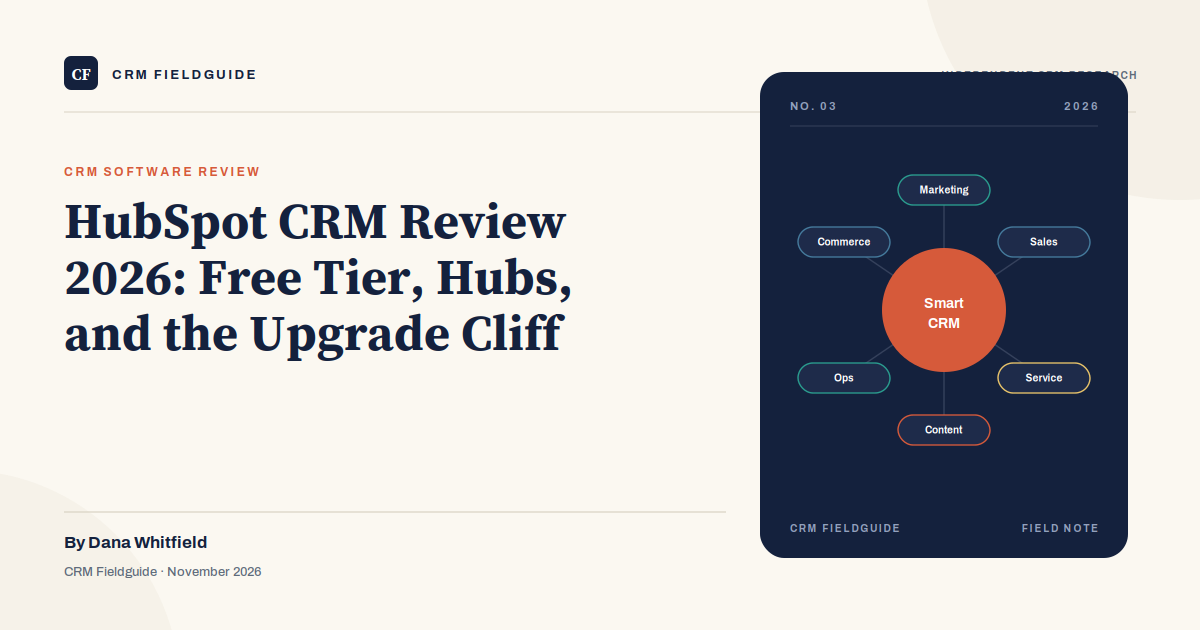
Marketing Hub handles forms, email campaigns, landing pages, lead scoring, and automation. Sales Hub covers deals, pipelines, sequences, meetings, and forecasting. Service Hub manages tickets, knowledge base, and customer feedback. Content Hub is for teams producing a lot of content and needing SEO and content operations. Operations Hub connects data and automates processes. Commerce Hub handles quotes, invoices, and payments.
A small B2B company usually starts with Sales Hub and adds Marketing Hub when inbound leads become a real channel. A service-heavy business may start with Service Hub. The mistake is buying several hubs because the bundle discount looks attractive, then discovering that nobody owns the workflows inside them.
The upgrade cliff
HubSpot’s pricing is designed to make the first step easy and the second step significant. Starter tiers are priced per seat and are reasonable for a small team. Professional tiers are priced more like a platform subscription, often with a base monthly fee, a contact tier, and a mandatory onboarding package. Enterprise tiers are quote-based and aimed at larger organizations.
| Tier | What it looks like in practice | Who it fits | Watch out for |
|---|---|---|---|
| Free | $0, two users, 1,000 contacts, limited marketing email | Founder-led sales, two reps, small list | No third seat; branding on emails |
| Starter | Roughly $20 per seat per month, more automation and removal of some limits | Small teams that need a shared pipeline and simple sequences | Reporting and customization are still thin |
| Professional | Often $800+ per month for a hub, plus onboarding fees in the thousands | Teams with a real marketing engine or a sales process that needs automation | Contact tiers, seat counts, and onboarding costs stack |
| Enterprise | Quote-based, annual contract | Larger teams needing governance, custom objects, and advanced reporting | Procurement cycle and multi-year commitment |
HubSpot has also been repackaging parts of its sales lineup in 2026, so the exact names and bundles can differ from what you see in an older review. The structural point stays the same: the free and Starter tiers are easy to enter, and the Professional tier is where the budget conversation becomes a finance conversation.
Where HubSpot is genuinely better
HubSpot’s product design is the best in the CRM market for a non-technical team. The contact record is readable, the navigation is consistent, and the setup wizard actually produces a working pipeline instead of a blank canvas. A sales rep who has never used a CRM can usually log a call and move a deal without a training session.
The inbound engine is the other real advantage. Forms, landing pages, email campaigns, lead scoring, and the contact timeline live in the same place as the deal. A marketing team can see which campaign produced a lead, and a sales rep can see which pages the buyer visited before the demo. Salesforce can do this with enough configuration; HubSpot does it out of the box.
The ecosystem is strong as well. HubSpot’s app marketplace covers the common integrations, the academy is free, and the partner network is deep. For a company that wants a single vendor for marketing and sales, the bundle is often more coherent than stitching together three best-of-breed tools.
Where HubSpot gets expensive
The first cost driver is contacts. HubSpot’s pricing is tied to the size of your marketing contact database, not just the number of sales seats. A company with a large list of old leads can hit a contact tier without adding a single salesperson. Cleaning the database before an upgrade is one of the highest-return chores in the platform.
The second is the hub bundle. Marketing Hub Professional and Sales Hub Professional are separate subscriptions. A five-person team with 10,000 contacts can easily spend $20,000 to $30,000 a year before onboarding, and the onboarding package is often mandatory for Professional. That number is not unusual for a company with a real marketing engine, but it is a shock for a company that thought it was buying a CRM.
The third is the feature gap between tiers. Custom reporting, sequences, permissions, and advanced automation often sit above Starter. The upgrade is not a nice-to-have; it is the difference between a CRM that answers your questions and one that only stores records.
HubSpot vs Salesforce vs Pipedrive
| HubSpot | Salesforce | Pipedrive | |
|---|---|---|---|
| Best fit | Inbound-led teams that want marketing and sales together | Complex sales with deep customization | Pipeline-first teams that want simplicity |
| Entry price | Free; paid from roughly $20/seat/month | $25/user/month for Starter Suite | Roughly $14/user/month |
| Ease of adoption | Excellent | Moderate to hard | Excellent |
| Customization | Moderate | Very high | Low to moderate |
| Watch out for | Contact tiers and Professional onboarding fees | Implementation cost and admin burden | Limited marketing and service depth |
If your growth depends on content and inbound, HubSpot is usually the shortest path. If your sales process is complex enough to need custom objects and approvals, Salesforce is the stronger platform. If you mainly need a clean pipeline and your marketing lives elsewhere, Pipedrive costs less and gets out of the way. Our Salesforce review and best CRM software comparison cover the deeper trade-offs.
Who should use HubSpot, and who should skip it
HubSpot fits companies with two to fifty employees, a marketing-led or inbound-led pipeline, and a team that values ease of use over deep customization. It fits businesses that want one contact record across marketing, sales, and service, and that are willing to use HubSpot’s way of doing things rather than rebuild their own.
Skip it if your sales motion is outbound-heavy and you need deep sequencing, dialers, and coaching tools at a low per-seat price. Skip it if you need complex CPQ, multi-entity permissions, or custom objects that behave like a bespoke application. Skip it if your contact database is large and dirty and you are not prepared to clean it before you upgrade. And skip it if the Professional tier is already outside your budget, because the free and Starter tiers will not run a complex sales organization for long.
How to keep the HubSpot bill sane
- Clean contacts before you upgrade. Delete or archive unengaged records. The contact tier is based on marketing contacts, and a smaller list can move you into a cheaper bracket.
- Buy one hub at a time. Add the hub that solves the current bottleneck, not the bundle that looks best in the proposal.
- Negotiate onboarding. The onboarding package is often quoted as mandatory. Ask what is actually included and whether a smaller scope is available.
- Watch the renewal. HubSpot renewals can include seat and contact tier changes. Review usage ninety days before the renewal date.
- Do not buy Enterprise for reporting alone. If the only gap is a dashboard, price a BI tool or a custom report before jumping a tier.
Frequently asked questions
Is HubSpot’s free CRM really free?
Yes, with limits. It is free for two users and up to 1,000 contacts, and it includes core CRM features. Marketing email is limited, and HubSpot branding appears on some customer-facing assets. It is a permanent free tier, not a trial.
When should a small business upgrade from free?
When you need a third seat, when your contact list passes the free cap, or when you need automation, reporting, or permissions that the free plan does not include. If none of those are true, stay free and save the budget.
Is HubSpot good for B2B sales?
Yes, especially when marketing and sales share the same pipeline. It is less compelling for a pure outbound team that needs deep sequencing and coaching, or for a complex enterprise sales process with heavy customization.
Does HubSpot replace Salesforce?
For many small and midsize companies, yes. HubSpot covers the core CRM, marketing, and service needs with less implementation work. For large sales organizations with custom objects, territories, and complex approvals, Salesforce is still the stronger platform.
The verdict
HubSpot is the best CRM for a small team that wants to start today and grow into marketing automation later. It is a worse deal for a company that needs deep customization, a large contact database, or a sales process that does not fit the HubSpot mold. Use the free tier until it actually hurts, then price the next tier with the contact count and onboarding fee included. The sticker price is not the bill.