A CRM is not a filing cabinet with a login. It is the place where a sales team decides who to call next, what to say, and whether a deal is actually moving. That sounds obvious until you open a CRM with 4,000 contacts that still cannot answer the only question that matters on a Monday morning: which five accounts deserve attention this week?
Most small companies do not have a CRM problem. They have a process problem that a CRM makes visible. The software cannot tell you what stage a deal is in unless your team agrees on what the stages mean. It will not forecast revenue if reps update close dates only when a manager asks. And it will not improve retention if nobody logs the support issue that made the customer unhappy.
This guide is for the person who has to make the system work after the salesperson who promised it would “run itself” moves on. We cover the records, lifecycle, metrics, and failure modes that show up in almost every small-business CRM project.
What customer relationship management actually means
Customer relationship management is a system of record and a system of action. The record part is familiar: companies, people, deals, calls, emails. The action part is where most implementations fall short. A useful CRM tells a rep what happened last, what should happen next, and who else needs to know.
Strip away the vendor language and a CRM does three jobs:
- It remembers. Who introduced the deal, what was promised, which competitor is involved, and why the last renewal nearly fell apart.
- It decides. Which leads are worth working, which deals are stalled, and which customers are at risk of leaving.
- It coordinates. The handoff from marketing to sales, from sales to onboarding, and from support back to the account owner.
A spreadsheet can do the first job for one person. It cannot do the second or third for a team without becoming a folder of conflicting versions. The real threshold is not headcount; it is whether more than one person needs to trust the same record.
The five records that do most of the work
CRM vendors sell dozens of objects, modules, and custom entities. A small sales team needs five records before it needs anything else: account, contact, deal, activity, and note or task. Get these right and the rest has something to stand on.
The account is the company or household you sell to. The contact is a person inside it. The deal is the potential transaction, with an amount, a stage, and a close date. An activity is a call, email, meeting, or task. The note is the context that does not fit in a dropdown: “CFO is retiring in Q1,” “they are locked into a competitor until June,” “the champion moved to another department.”
Two modeling mistakes cause a surprising amount of pain later. The first is treating every contact as a separate account, which hides that five people work at the same hospital system. The second is treating a deal as a contact attribute. The deal belongs to the account, and several contacts influence it. If your CRM cannot show who else is involved, it is a contact list with better fonts.
The lifecycle a CRM is supposed to support
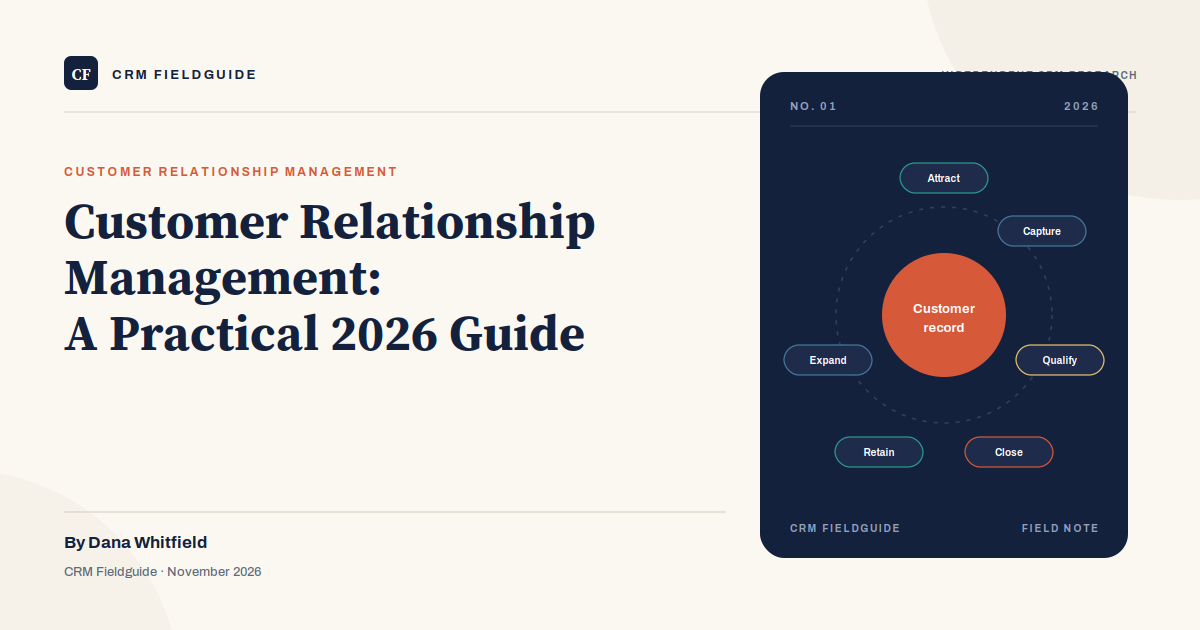
Customer relationship management is usually drawn as a funnel, but a funnel hides the part that matters after the sale. A better picture is a loop: attract, capture, qualify, close, retain, expand, and then back into the same record for the next purchase or referral.
Each stage has a different data requirement. During attraction, you need source and consent. During capture, you need a way to get the lead out of a web form, inbox, or phone call without retyping it. During qualification, you need a shared definition of what “qualified” means. During close, you need an amount, a date, and an approval path. During retention, you need the support history and the renewal date. During expansion, you need usage data or evidence the customer is ready for more.
Most small teams invest in the first four stages and ignore the last two. That is a mistake. The cheapest revenue comes from an existing customer who trusts the team. If your CRM treats the customer as a closed deal and stops collecting information after the signature, you have built a sales tracker, not a relationship system.
What to measure, and what to ignore
A CRM produces more metrics than a small team can use. Pick a handful that change behavior and review them on a schedule. The table below is the short list for two to twenty reps.
| Metric | Question it answers | Warning sign |
|---|---|---|
| Pipeline coverage | Is there enough open pipeline to hit the quarter? | Less than 2x the remaining quota, or one deal is more than 30% of the pipeline. |
| Stage conversion | Where do deals stop moving? | One stage converts below 10% while the previous stage looks healthy. |
| Time in stage | How long does each step really take? | Deals sit for weeks with no activity, then all close in the last week of the quarter. |
| Activity-to-meeting ratio | Is outreach turning into conversations? | Hundreds of calls and emails produce a handful of meetings. |
| Win rate by source and segment | Which leads are worth chasing? | Only the overall win rate is tracked, so a bad segment hides inside a good average. |
| Net revenue retention | Are existing customers growing or leaving? | The CRM has no renewal data, so retention is measured in a spreadsheet. |
Ignore total contacts, emails sent, and login counts. They are easy to report and almost impossible to act on. A sales rep logging in every day is not adoption; a sales rep updating the record after a difficult call is. If a metric cannot change a decision, it belongs in a dashboard nobody opens.
Why CRM projects fail
After enough implementations, the failure patterns repeat. These are the five we see most often in small and midsize companies.
- The data dump. Someone imports every contact from every spreadsheet since 2014. Nobody deduplicates. Reps see four versions of the same buyer and go back to their inbox.
- The admin bottleneck. One operations person owns every field, workflow, and report. When that person is on vacation, the team waits. The CRM becomes a ticket queue.
- The required-field tax. A well-meaning admin makes 14 fields mandatory before a rep can save a call. Reps enter garbage to get past the form, or stop logging calls.
- The manager exception. The sales manager still runs the pipeline in a spreadsheet because “the CRM is not reliable.” The team follows the manager, not the system, and the CRM becomes a compliance exercise.
- Buying the demo, not the workflow. The dashboard looked great in the sales presentation. The rep needs to log a call in under 30 seconds while walking to the car. Those are different requirements.
The common thread: the CRM was treated as an IT purchase instead of a sales-operations change. Software can enforce a process, but it cannot invent one. If the team cannot describe the stages, the qualification rules, and the handoffs before the demo, the vendor will describe them for you, and the result will be generic.
A 30-day setup plan for a small team
You do not need a six-month implementation. You need a narrow first release the team can learn in a week.
Week one: write down the stages and the exit criteria for each stage. Five stages is usually enough: new, qualified, proposal, negotiation, won or lost. Define what must be true before a deal moves forward. Choose the five reports the team will review every Monday.
Week two: clean the data before importing it. Deduplicate companies and contacts, decide which fields are required, and assign owners. Import a small batch, check it, then import the rest. Do not import every historical record; import the accounts the team will actually work this quarter.
Week three: build one automation, not ten. A good first automation creates a task when a deal enters a new stage, or alerts the owner after seven days without activity. Connect email and calendar so logging is closer to automatic. Test the mobile app with a rep in a parking lot.
Week four: train with live deals, not sample data. Publish a one-page SOP that says what to log, when to update a stage, and what to do when a deal is stuck. Audit ten records at week’s end and fix the data in a team meeting. The goal is a system the team trusts enough to use.
Where AI fits in 2026
Every CRM vendor now ships an AI assistant that summarizes calls, drafts emails, and suggests the next action. Some of it is genuinely useful, especially for teams that make a lot of calls and struggle to write notes. None of it fixes a record that was never updated.
AI is a layer on top of data quality. If the last note says “called, no answer” forty times, the assistant will produce a very confident summary of forty unanswered calls. If the deal amount is wrong, the forecast will be wrong faster. Buy the basics first: clean records, agreed stages, a weekly pipeline review. Then add the assistant where it removes real work, such as call summaries and email drafts.
Frequently asked questions
Is customer relationship management only for sales teams?
No. Service, marketing, onboarding, and account management all touch the same record. A small company can start with sales and add service later, but the data model should leave room for cases and renewals.
How much should a small business spend on a CRM?
Entry plans range from free to roughly $25 per user per month. Mid-tier plans usually land between $40 and $100. Implementation, admin time, and add-ons often cost more than the subscription in the first year, so budget for those separately.
Can we just use a spreadsheet?
Until more than one person works the same leads, a spreadsheet can be enough. Once two reps need the same history, or a manager needs a pipeline view without asking for a file, the spreadsheet becomes a coordination tax. That is the point to move.
What is the first report we should build?
Pipeline by stage, with the age of each deal. It shows whether deals are moving and where they are stuck. A revenue forecast is less useful in month one because there is not enough history to trust it.
The bottom line
The CRM you need is the one your team will update after a bad call. If the tool makes that harder than a spreadsheet, it is the wrong tool, no matter how many features it has. Start with five records, five stages, and one weekly review. Add complexity only when the team has earned it.