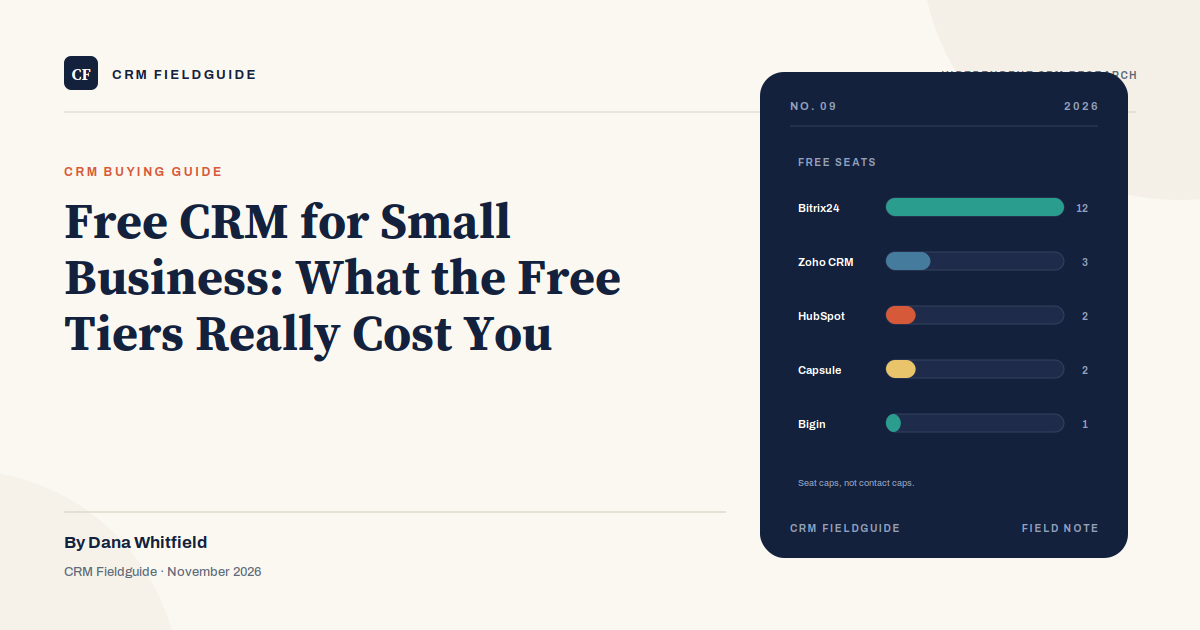
Free CRM plans are not charity. They are lead generation with a contact cap. The vendor gives away a working product because a predictable percentage of free accounts turn into paid seats, and the conversion usually happens at a moment the vendor can predict: the third salesperson joins, the contact list crosses a threshold, or marketing wants to send a campaign without the vendor’s logo attached.
That does not make the free tiers a bad deal. A two-person sales team can run for a year on a free CRM and pay nothing. The trick is knowing which cap will stop you, what the upgrade will cost when it does, and whether the free product is a real edition or a trial with better marketing.
The three kinds of free
The word “free” covers three different commercial models, and mixing them up is the most common mistake buyers make.
- A permanent free tier. A real edition that does not expire, with hard limits on seats, contacts, records, automation, or storage. HubSpot, Zoho CRM, Zoho Bigin, Bitrix24, and Capsule all have one.
- A free trial. A fully featured edition for 14 to 30 days, then a paywall. A trial is useful for evaluation, but it is not a free CRM. Budget for the paid tier from the start.
- Open source. The license costs nothing and there is no seat cap, because there is no vendor account to meter. You pay for hosting, implementation, security updates, and the person who administers it.
This guide focuses on the first and third categories. Trials are easy to identify; the permanent free tiers and the open-source route are where the real decisions live.
The free tiers worth considering
| Product | Free seats | Free record cap | Best for | Watch out for |
|---|---|---|---|---|
| HubSpot CRM | 2 | 1,000 contacts | Two reps who want a polished, easy CRM | No third seat; limited marketing email |
| Zoho CRM | 3 | 5,000 records | Three users who need a broad feature set | Denser interface; free automation limits |
| Zoho Bigin | 1 | 500 records | A solo operator with one simple pipeline | One pipeline, one user, low record cap |
| Capsule | 2 | 250 contacts | A very small team that wants simple | Smallest contact cap on this list |
| Bitrix24 | Varies by plan | Varies | Teams that want CRM plus collaboration tools | Free-tier user cap varies; verify current terms |
HubSpot’s free plan is the best-polished option for two users. Zoho CRM’s free plan is the best option for three users who need more records, and it is the one to check when the third person joins. Bigin is deliberately small: one user, one pipeline, 500 records. Capsule is even smaller on contacts but very clean. Bitrix24 bundles CRM with collaboration and has had different free-tier user caps over time, so verify the current terms before you standardize on it.
The cap that actually stops you
Vendors lead with the seat count because it is easy to understand. In practice, a different cap often ends the free ride first. The table below is the one we would check before importing data.
| Cap | What happens when you hit it | Typical trigger |
|---|---|---|
| Seats | You cannot add the next user without upgrading | A new hire, a contractor, or a founder who wants visibility |
| Contacts or records | Imports stop or new records are blocked | A trade show list, a purchased list, or a data migration |
| Automation runs | Workflows stop executing or require a paid tier | Lead routing, follow-up sequences, or task creation |
| Email sends | Campaigns are capped or branded | A marketing campaign, a newsletter, or a nurture sequence |
| Storage | Attachments and files hit a limit | Contracts, call recordings, or document-heavy sales |
| API calls | Integrations slow down or fail | Connecting a website, ERP, or data warehouse |
| Reporting | Dashboards are limited or unavailable | A manager wants a pipeline review that is not a spreadsheet |
The seat cap is the most visible, but the record cap is often the one that forces a decision. A company can run three reps on a free plan for months, then import a list of 2,000 trade-show leads and hit the ceiling in an afternoon. If a large import is coming, check the record cap first.
What “free” costs in practice
The first cost is time. Free tiers usually have fewer automations, simpler reporting, and less support. A rep who spends an hour a week copying data between tools is paying for the free plan with payroll. At a $60,000 salary, one hour a week is roughly $1,500 a year, which is often more than the difference between free and a Starter plan.
The second cost is data portability. Some free tiers make it easy to export everything; others make it easy to export only the basics. If the plan is to move to a paid CRM later, test the export before you import. A clean export is worth more than a free month.
The third cost is the upgrade itself. The paid tier may require annual billing, a seat minimum, or an onboarding fee. The free plan does not show you those terms because you have not reached the pricing page yet. Model the paid tier before you commit the team to the free one.
When to stay free
Stay on a free CRM if you have one or two reps, fewer than 1,000 contacts, one simple pipeline, and no marketing automation. Stay if you are still validating the sales process and do not want to pay for seats you may not need. Stay if the free tier covers the reports you actually use, not the reports you think you should use.
Staying free is a legitimate strategy, not a failure. A founder doing $300,000 in revenue with one salesperson does not need a $20,000 CRM implementation. A free plan and a disciplined spreadsheet for commissions may be the correct stack.
When to upgrade
Upgrade when you need a third seat, when the record cap blocks a real import, or when you need automation that the free tier does not include. Upgrade when you need roles and permissions to separate what a rep can see from what a manager can see. Upgrade when you need support and an SLA. Upgrade when the manual workaround costs more than the subscription.
The upgrade decision should be tied to a workflow, not a calendar. “We have outgrown the free plan” is not a reason. “We need lead routing, and the free plan will not run it” is a reason.
The open-source route
EspoCRM and SuiteCRM are the two most common open-source CRMs for small businesses. Odoo Community includes a CRM module inside a larger ERP. The license is free, and there is no seat cap, which makes open source attractive for a team that expects to grow.
The total cost is not zero. You need hosting, backups, security updates, upgrades, and someone to configure the system. A managed host might cost $20 to $100 a month. A consultant might charge $1,000 to $5,000 for setup. If something breaks at 9 p.m. on a Friday, there is no vendor support line unless you pay for one. Open source is a good fit for a company with technical staff and a clear process. It is a poor fit for a company that wants a product, not a project.
A three-year cost comparison
The table below uses a simple scenario: three reps, 5,000 contacts, a pipeline that needs lead routing and one weekly report. The numbers are illustrative and assume annual billing. Your actual quote will vary.
| Option | Year one | Year two | Year three | What you give up |
|---|---|---|---|---|
| HubSpot Starter | ~$720 | ~$720 | ~$720 | Deeper reporting and contact tiers |
| Zoho CRM Standard | ~$500 | ~$500 | ~$500 | Polish and onboarding support |
| Salesforce Starter | ~$900 | ~$900 | ~$900 | Customization and advanced forecasting |
| Open-source CRM | ~$1,500 | ~$400 | ~$400 | Vendor support and managed upgrades |
The open-source line includes a one-time setup cost in year one and hosting afterward. The SaaS lines exclude implementation and admin time, which are real costs but harder to compare across products. The point is not that one option is cheapest. The point is that the free tier and the paid tier are part of the same three-year decision, and the cheapest first year is not always the cheapest third year.
Frequently asked questions
What is the best free CRM for a small business?
HubSpot is the best free CRM for two users who want a polished product. Zoho CRM is the best free CRM for three users who need more records. Bigin and Capsule are good for solo operators and very small teams with simple pipelines.
Is a free CRM really free forever?
The permanent free tiers are free for as long as you stay within the limits. They are not trials, but the terms can change. Vendors have tightened free-tier limits before, so re-check the caps before you import a large database.
When should I upgrade from a free CRM?
When you need a seat the free plan does not allow, when the record cap blocks a real import, or when you need automation, permissions, reporting, or support that the free tier does not include. Upgrade for a workflow, not for a feeling.
Is open-source CRM cheaper than SaaS?
It can be, especially at scale, but the license is only one line of the budget. Hosting, setup, security, upgrades, and admin time often make open source more expensive in year one. It is a good fit for technical teams with a clear process.
The bottom line
A free CRM is a good place to start and a bad place to stay if your team is growing. Use it to validate the process, test the export, and learn what your reps actually need. Then price the paid tier before the cap forces the decision. The goal is not to avoid paying for software; it is to avoid paying for the wrong software twice.