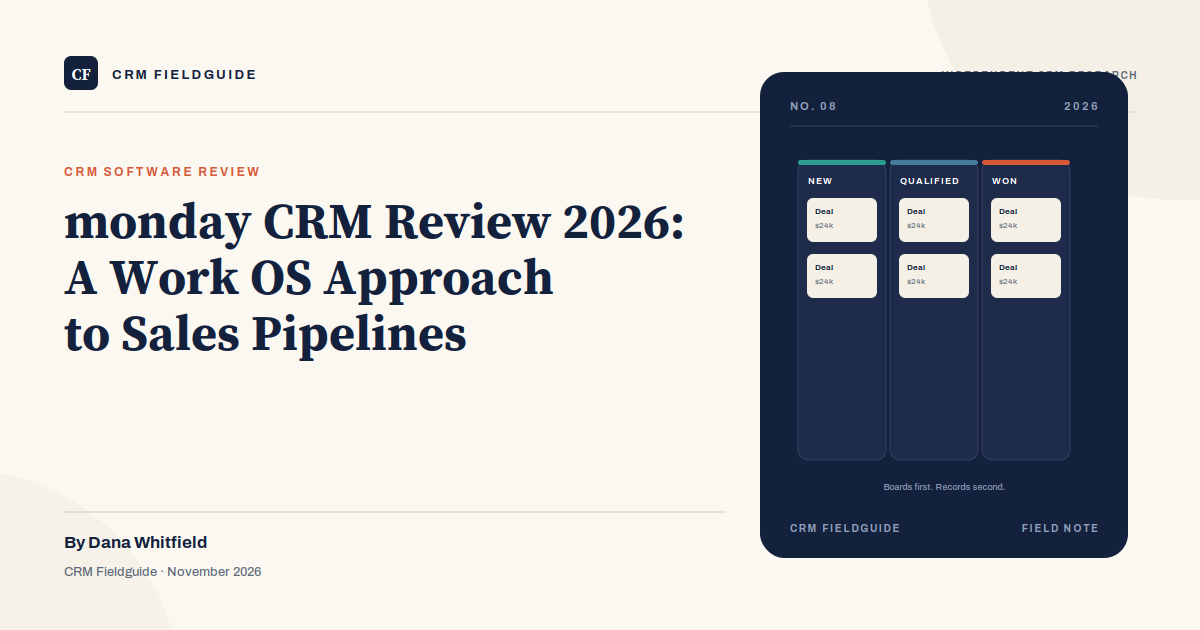
Most CRMs start with a customer record. monday CRM starts with a board. That difference sounds cosmetic until you use the product for a week. The board is the primary object, the deal is a row, and the pipeline is a set of columns you can rearrange. If your team already thinks in boards, this feels natural. If your team thinks in records, relationships, and reporting, it can feel like a project management tool wearing a sales hat.
That is not a criticism. monday CRM is a deliberate bet that a flexible work operating system can absorb the sales pipeline better than a rigid CRM can. For some teams, the bet pays off. For others, the board becomes a shared spreadsheet with nicer colors and a monthly bill.
What monday CRM is
monday CRM is a sales product built on monday.com’s Work OS. It uses boards, groups, and columns to represent a pipeline, and it adds sales-specific features such as lead capture, email sync, automations, and dashboards. The underlying platform is the same one companies use for project management, marketing calendars, and operations.
The product is not a full marketing suite. It does not try to replace HubSpot’s marketing hub or Salesforce’s platform. It is a CRM for teams that want a visual pipeline, fast setup, and the ability to connect sales work to the rest of the company’s boards. That focus is both its advantage and its ceiling.
The board-based model
A typical board has groups for new leads, qualified deals, proposals, and won deals. Each item has columns for the deal value, the owner, the expected close date, and the next step. Automations can move an item between groups, notify an owner, or create a task when a stage changes. The visual layout makes it easy to see where deals are clustered and where they are stuck.
The trade-off is structure. In Salesforce, an opportunity has a fixed relationship to an account and a contact. In monday CRM, you can model those relationships with columns and connected boards, but the platform does not enforce them the same way. That flexibility is useful for a project-based sale with unusual steps. It is a liability when a team needs consistent reporting across hundreds of deals.
What it does well
The first strength is time to value. A small team can build a working pipeline in an afternoon. There is no implementation partner, no custom object model, and no six-week configuration project. For a company that has been running sales in a spreadsheet, that speed matters.
The second is flexibility. monday CRM can represent a sales process that does not fit a standard stage model: a long implementation sale with a proof-of-concept phase, a channel sale with partner involvement, or a project sale that overlaps with delivery. You can add columns and groups without waiting for an admin.
The third is cross-team visibility. If marketing, delivery, and finance already use monday.com, the sales board can connect to their boards. A deal can trigger a delivery project, and a delivery delay can show up next to the account. That is harder to assemble in a CRM that treats sales as a separate universe.
The fourth is transparent pricing. monday publishes its plans, and the CRM tiers are easy to compare. That is not true of every vendor in this category, and it makes the first budget conversation simpler.
Where it falls short
The first limitation is reporting depth. monday CRM has dashboards, and they are improving, but they are not as mature as Salesforce or HubSpot for pipeline analytics, forecasting, and cohort reporting. A sales operations team that lives in pivot tables may find the built-in reporting too shallow.
The second is sales-specific depth. Email sequences, dialers, lead scoring, and revenue forecasting are lighter than in dedicated sales tools. monday CRM can connect to other products, but every connection adds cost and complexity. If your sales motion depends on high-volume outbound, you will feel the gap.
The third is governance. The same flexibility that lets a team add columns also lets a team create a mess. Without naming conventions and a board owner, a monday CRM instance can sprawl into dozens of boards with inconsistent stages. Enterprise controls exist, but they are not the product’s natural strength.
The fourth is cost at scale. The per-seat price is reasonable for a small team. At fifty or a hundred seats, the subscription adds up, and the lower tiers may not include the automation or reporting you need. Compare the total cost against a dedicated CRM before assuming monday is cheaper.
Pricing
| Plan | Price | What it adds | Best for |
|---|---|---|---|
| Basic | ~$12/seat/month, annual | A simple pipeline, core columns, basic automations | Small teams that need a visual board |
| Standard | ~$17/seat/month, annual | More automation, integrations, and board features | Teams connecting sales to other workflows |
| Pro | ~$28/seat/month, annual | Advanced reporting, more automation, permissions | Teams that need dashboards and controls |
| Enterprise | Quote | Governance, SSO, advanced security, support | Larger organizations with procurement requirements |
monday has a three-seat minimum and bills annually on these tiers. Monthly billing costs more. The Work Management product has different prices, so a team that already uses monday.com for project management should not assume the CRM plan will cost the same per seat.
monday CRM vs HubSpot vs Pipedrive
| monday CRM | HubSpot | Pipedrive | |
|---|---|---|---|
| Best fit | Teams already on monday.com, project-based sales | Inbound-led teams that want marketing and sales together | Pipeline-first teams that want simplicity |
| Setup speed | Very fast | Fast | Fast |
| Reporting | Moderate | Strong at Professional | Moderate |
| Customization | High, but less structured | Moderate | Low to moderate |
| Watch out for | Board sprawl and reporting limits | Upgrade cliff and contact tiers | Limited marketing and service |
HubSpot is the stronger choice for a marketing-led business that needs one contact record across campaigns and sales. Pipedrive is the stronger choice for a team that wants a pure sales pipeline and nothing else. monday CRM is the stronger choice when sales work is part of a larger operational board system and the team values flexibility over depth.
Who should use monday CRM
Use it if your company already runs on monday.com and you want sales in the same workspace. Use it if your sales process is project-based, long-cycle, or heavily cross-functional. Use it if you have three to twenty-five reps and want a visual pipeline without an admin. Use it if you value fast setup and are willing to trade some reporting depth for flexibility.
It is also a reasonable first CRM for a founder-led team that has never used a CRM and wants something less intimidating than Salesforce. The board model is easy to explain, and the automations are approachable.
Who should skip it
Skip monday CRM if you run a high-volume inside sales team that needs dialers, sequences, and call coaching. Skip it if you need complex CPQ, multi-entity permissions, or deep forecasting. Skip it if marketing automation is a core requirement. Skip it if you need Salesforce-level governance and a large partner ecosystem. And skip it if your team already struggles with board sprawl in monday.com; adding the CRM will not make that problem better.
How to run a sensible trial
- Build one board with your real stages. Do not use the template as-is. Recreate the pipeline your team actually runs.
- Import 100 real deals. Check how the board handles duplicates, missing values, and deals with multiple contacts.
- Build the report your manager will ask for. If it takes more than an hour, that is a signal about the reporting depth.
- Test the automation you need most. A stage-change notification, a task creation, or a follow-up reminder. Do not test ten automations at once.
- Ask two reps to use it for a week. If they go back to the spreadsheet, find out why before you buy more seats.
Frequently asked questions
Is monday CRM a real CRM?
Yes. It has contacts, deals, pipelines, email sync, automations, and dashboards. It is built on monday.com’s Work OS, so it feels more like a flexible board than a traditional record-based CRM.
How much does monday CRM cost?
List prices in late 2026 start around $12 per seat per month for Basic, $17 for Standard, and $28 for Pro, billed annually with a three-seat minimum. Enterprise is quote-based.
Is monday CRM good for small business?
It can be, especially if the team already uses monday.com. It is less compelling for a high-volume inside sales team or a business that needs deep marketing automation and reporting.
Can monday CRM replace Salesforce?
For a small, flexible, project-based sales team, yes. For a large organization with complex permissions, custom objects, and deep forecasting, no. The products are built for different levels of process complexity.
The verdict
monday CRM is a good sales tool for teams that think in boards and value flexibility over depth. It is fast to set up, pleasant to use, and priced transparently. It is not the best choice for a high-volume sales desk or a company that needs enterprise-grade reporting. Try it with real deals and a real report before you commit; the board will tell you quickly whether it fits.